✨   New AI Features    |   🎉 New Mobile App
✨  Meet Sortd AI & the Agent API — smart triage, drafts & follow-upsread more    |     🎉  The new Sortd mobile app is here learn more
✨ New: AI Inbox Labels (beta) sorts your own Gmail into Read, Respond, Revisit, Review, Relax and R.I.P.Learn more
✨ New: AI Inbox Labels (beta) sorts your Gmail into the 5Rs.Learn more
✦ SORTD AI · INSIDE GMAIL

Know what needs attention.
Keep conversations moving.

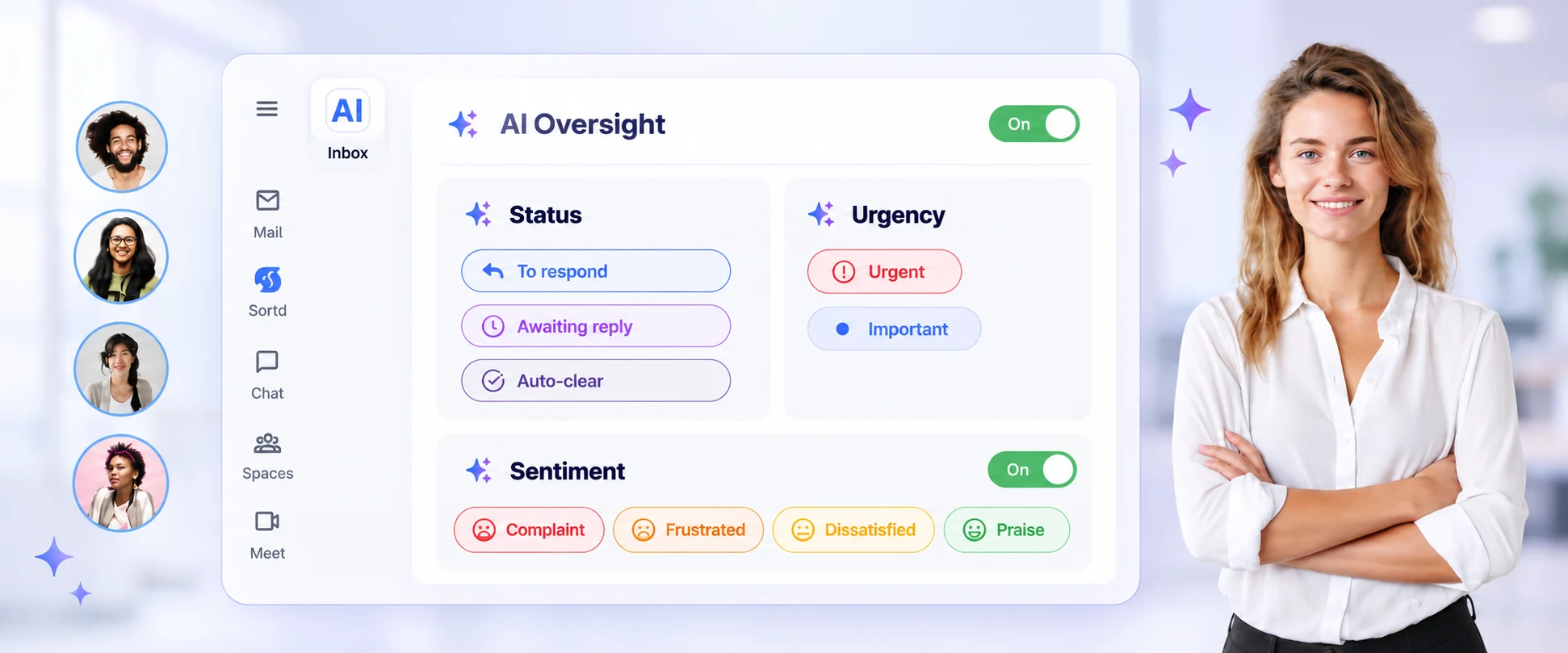
See status, urgency and sentiment on your team’s boards, right inside Gmail.

Illustration of Sortd AI Board Tags with To respond, Awaiting reply and Auto-clear status, Urgent and Important flags, and customer sentiment signals.
AI Board Tags for your team’s boards. Status from Essentials; urgency and sentiment on Business.
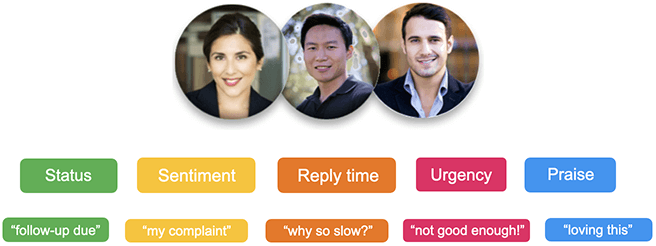
Illustration of status, sentiment, reply time, urgency and praise signals from customer conversations.
ACTIONABLE SIGNALS

Turn conversations into clear signals.

Sortd AI reads the conversation and adds status, urgency and sentiment signals to your team’s boards. See what needs attention without reading every thread or tagging it by hand.

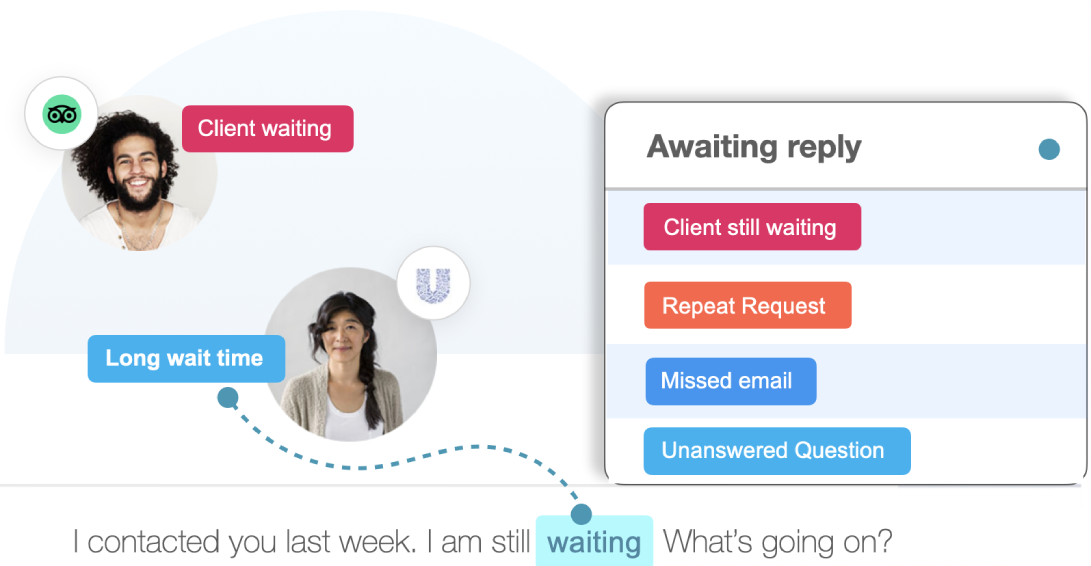
Customer conversation illustration with Client still waiting, Repeat request, Missed email and Unanswered question flags.
CATCH ISSUES EARLY

Notice when a conversation needs a nudge.

See when a customer is still waiting, repeats a request or leaves a question unanswered. Use these signals to step in before a stalled conversation becomes a bigger issue.

Illustration comparing slower and faster team response times. Timings shown are examples.
Response times shown are illustrative.
FOCUS YOUR REPLIES

Spend less time deciding what to answer next.

Bring waiting customers and urgent conversations into focus, so your team can prioritize replies and follow-ups with the right context.

Team illustration showing conversation status, follow-up due signals and a thread assigned to Amy.
SHARED STATUS & OWNERSHIP

Keep everyone clear on the next step.

Track whether a thread needs a response, is awaiting a reply or can be cleared. Shared status and ownership make it easier to hand work over without losing context.

FOR YOU AND YOUR TEAM

Two ways Sortd AI sorts your email.

AI Board Tags work on your team’s shared boards. AI Inbox Labels works in your own Gmail inbox. Use either or both.

AVAILABLE

AI Board Tags

For your team’s boards

Admins switch AI on for a shared board, such as support, finance or orders. Status, urgency and sentiment signals appear on conversation cards, so the team can see what needs attention.

  • Switch on per board from the AI panel.
  • Track To respond, Awaiting reply and Auto-clear status.
  • Use AI actions in Automations for custom workflows.

Status from Essentials. Urgency and sentiment on Business.

BETABUSINESS PLAN · ESSENTIALS SOON

AI Inbox Labels

For your own inbox

Sort your Gmail Primary inbox by what each email needs from you, using real Gmail labels that update as conversations change.

ReadRespondRevisitReviewRelaxR.I.P.
Explore AI Inbox Labels
LESS CHASING. MORE CLARITY.

Help your team act on what matters.

01

See the state of a conversation

Status, urgency and sentiment make it easier to see which threads need attention.

02

Focus on urgent work

Urgency flags help your team prioritize time-sensitive conversations.

03

Stay on top of follow-ups

Notice waiting customers and unanswered questions before a thread gets buried.

04

Make handoffs easier

Shared status and ownership help the next person understand what needs to happen.

05

Notice unhappy customers sooner

Complaint and frustration signals help your team spot conversations that need care.

06

Reply with context

Use the signals as a starting point, then review the conversation and choose your response.

“The AI has given me the clarity as a CEO to see where we are at with each of our clients without the nagging the team for updates. It has also proven instrumental in proactively detecting customer concerns, effectively mitigating potential problems before they escalate.”
Kim Zhang
Kim Zhang
CEO and Sales Leader
Sortd’s existing publication logos and browser rating graphic.

Bring clarity to your team’s email.

Start using Sortd inside Gmail. Choose the AI features that fit your inbox and your team.
