How to update the Sortd Chrome Extension
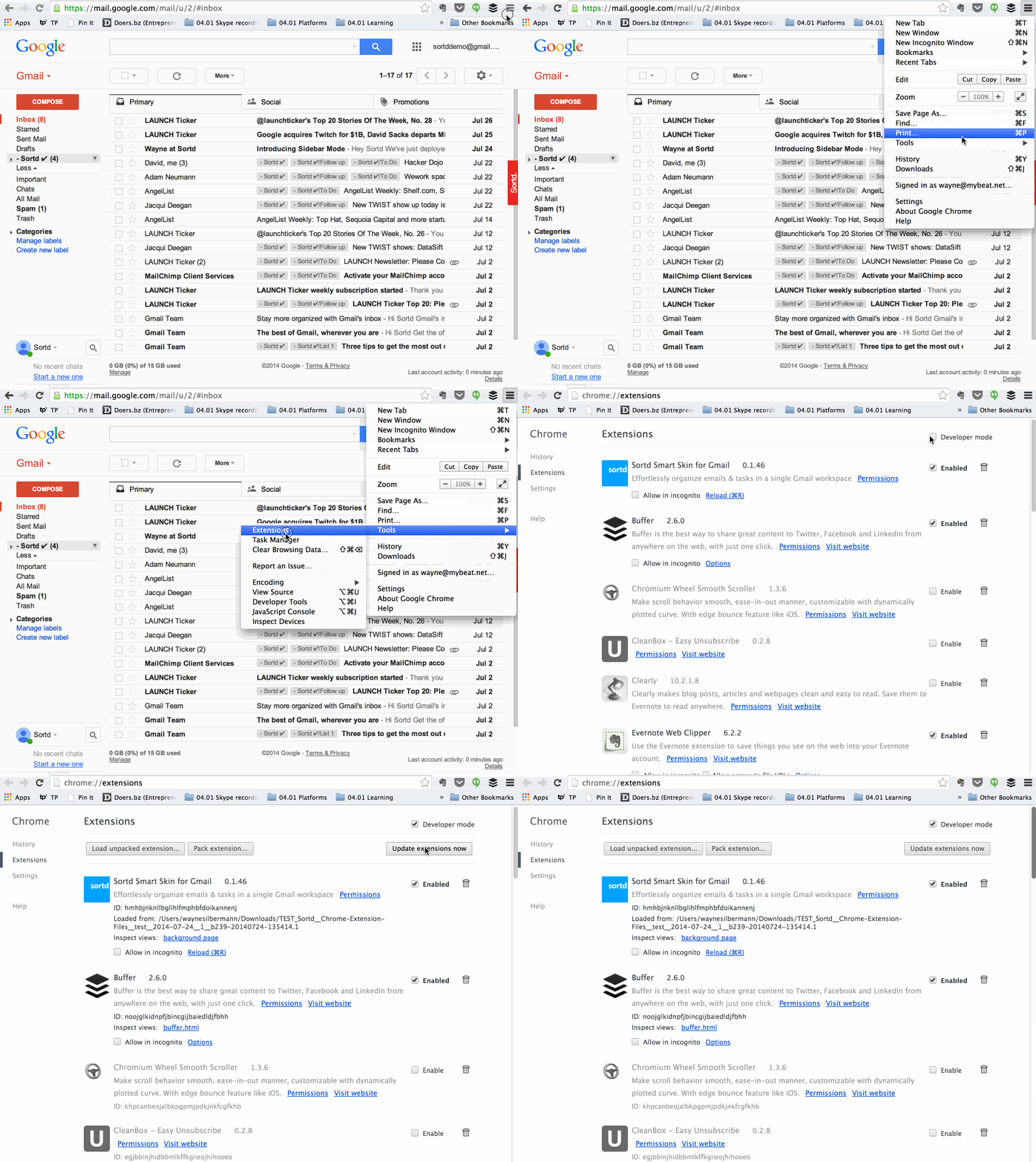
Goto the Extensions Management interface in Chrome either via the menu's or by typing "chrome://extensions" into the address bar.
Ensure the "Developer Mode" is enabled and then click the "Update" button. Wait 5-10 seconds.
After clicking the Update button (as shown in in the recording on the left), scroll down and look for Sortd to check that it's on the latest version. Ignore the version number in the recording as this is old (Additionally the Extensions interface has changed but the steps remain the same).
The latest version of Sortd is the 1.7.* series. If the Upgrade does not work you can try re-installing the Chrome Extension from the Chrome WebStore. Just ensure that the version in the store is equal to or higher than the version you currently have.
After updating, if you have any problems, you may need to refresh a couple of times.
Please contact us at team@sortd.com if you can't get it working.